Product Literacy
Luma JournalHow to Read a Personal Wellness Product Page Before You Buy
Learn how to compare personal wellness products through materials, controls, charging, care, privacy, price, and support before you buy.
By milburn laycie Im·
01 / the note
Opening answer
When you open a personal wellness product page, look for the facts that help you map the item into your life: what it is made of, how it is powered and controlled, how big and heavy it is, how you clean and store it, and what the seller’s policies and other users say. Those details let you translate product specifications into practical questions — Will this fit my routine? Do I prefer a single control or separate controls? Can I care for it easily? — without pressure to buy more features or assume any outcome. In brief Scan for materials, controls and power, dimensions and weight, cleaning instructions, privacy and packaging notes, and clear return or warranty information. Use user reviews and the product Q&A to clarify noise, real-world battery life, and how intuitive the controls feel. If a product page provides a few clear, verifiable specs, you can form specific, neutral questions to decide whether the item suits your preferences. Caveat Personal comfort, consent, and boundaries deserve priority. This guide helps you read a product page so you can make an informed, private choice. It is not medical advice and does not claim that any product is necessary for wellbeing. If a product page lacks information you need, treat that omission as a prompt to contact the seller or seek another product page that provides clearer details.
02 / the note
Start with the headline facts: what the page is telling you at a glance
Most product pages lead with a short set of headline facts. These are the quick indicators that answer basic questions: what the item is, the material it’s made from, whether it needs batteries or charging, and whether it has multiple functions. Read these first, and then translate each into a practical question. - Material becomes a question about care and feel. If the page lists food-grade silicone, ask how that material should be cleaned and whether the surface finish is matte or glossy. - Power and charging become questions about convenience. Rechargeable with USB charging suggests you will need access to a charger; a stated 1.5 hours to charge and roughly 50 minutes of typical use gives you a starting expectation of how often you’ll charge. - Controls become questions about adjustability and learning curve. Separate suction and vibration controls indicate you can adjust each independently; ask whether the controls are intuitive or require a manual. Use headline facts to choose what to read next. If a headline is missing or vague, that absence is itself useful: it tells you what to ask customer service or look for in reviews.
03 / the note
Materials and surface details: what to look for and why it matters to you
Materials shape how a product feels, how you clean it, and how long it may last. On a product page, manufacturers often list the primary contact materials and sometimes mention internal components. Translate those entries into practical checks. - Look for explicit wording. If the page states food-grade silicone, that gives you a specific material to research further — for example, look up the manufacturer’s cleaning recommendations rather than assuming universal care rules. If the page instead says silicone without qualifiers, you can ask the seller for clarification about type and finish. - Check which parts are the stated material. A product may combine silicone with plastic or metal. Note whether seals, ports, or decorative elements use different materials and think about how that affects cleaning or sensitivity to certain cleaners. - Consider your personal preferences. Some people prefer very soft, squishy surfaces; others like firmer materials. Pages sometimes show close-up photos and descriptors such as "soft-touch" or "silky finish." Use those cues and, when important, ask or look for user comments about texture over time. When a page lists a known material by name, it gives you a clear question to translate into home care: what cleaning agents are recommended, is the product fully washable, and are there any surface treatments to be aware of? If that detail is missing, consider it a gap to clarify before buying.
04 / the note
Controls and modes: decoding what separate functions mean for use
Controls and modes determine how you operate a product. A page that lists separate suction and vibration controls gives an immediate clue about flexibility: individual adjustment lets you mix settings rather than toggling through a single combined mode. Translate control specs into practical considerations. - Think about ease of use. Separate controls can be efficient for someone who wants to tailor each function independently, but they may also mean a slightly steeper learning curve if there are many buttons or stages. Look for photos of the control layout and clear descriptions of how modes are changed. - Note any indicators that help you use the device. LED indicators that show power or charging status, for example, are practical features to check on a page. If a product lists LED indicators, consider how visible they will be during use and whether their placement matters to your preference for discretion. - If the page lists separate controls, ask whether those controls can be locked or otherwise secured during storage. Some people value a simple on/off lock to prevent accidental activation. If the product description does not mention it, the product Q&A or reviews may answer. Translate controls into questions like: Do I want independent adjustment? Will learning to use separate controls fit my routine? Are there helpful indicators to confirm settings, and can I avoid accidental activation when stored?
05 / the note
Power, charging, and real-world use expectations
Power specs are a frequent source of confusion. Product pages may list charging type, charging time, and typical run time. Read those numbers as starting points for practical planning. - Charging method matters. A listing that says rechargeable and uses a USB 2.0 pin charging cable tells you what kind of cable or adapter you’ll need to have or buy. Pin-style USB cables are common, but not identical to newer magnetic or proprietary connectors, so note whether the cable is included. - Charging time versus use time. If the page notes about 1.5 hours to charge and at least 50 minutes of typical use, translate that into your rhythm. Ask yourself how often you want to charge between uses and whether you prefer longer single-session battery life or short top-ups between sessions. - Look for indicators of battery status. LED indicators for charging and power are helpful because they tell you whether the device is fully charged or currently charging. If a page mentions LED indicators, you can expect some visual feedback on power state; if it does not, the product photos or manual may provide that detail. If the page lacks clear charging or battery information, use the product Q&A and reviews to learn how the item performs in everyday life. Real-world users often report if advertised run times match actual use; those comments can help you set realistic expectations without assuming the numbers are identical for everyone.
06 / the note
Size, shape, and weight: translating numbers into fit and feel
Dimensions and weight are among the most practical specs to check. They help you judge whether a product will be comfortable to handle, easy to store, and appropriate for your intended use. - Weight as a functional detail. A product listed at 196 g offers a clear datum for comparison. Think about how that weight sits in your hand and whether you prefer lighter or heftier items. Photos with scale references, such as someone holding the product, are especially useful to visualize real-life size. - Shape matters more than a single number. Length, width, and any specific contours tell you how the item will interact with your body and grip. If a page includes multiple photos from different angles, use them to imagine holding and positioning the item. - Consider storage and travel. Bulky or awkward shapes may be fine for home-only use but less convenient for discreet storage or travel. If portability is important, check for mention of included storage pouches or the ease of packing the item flat. When a product page lists weight and dimensions, ask whether those numbers align with your preferred handling and storage routines. If a manufacturer supplies only weight without dimensions, seek the missing numbers or look for scale photos and detailed user feedback.
07 / the note
Noise and discretion: how to find realistic cues on the page
Noise level and discretion are often hard to convey on a product page, but there are still useful indicators and ways to investigate further. - Look for explicit noise specs. Some pages provide decibel ratings; many do not. If decibel data is absent, look for descriptive phrases from the manufacturer and then move to reviews for real-life reports. Users commonly mention whether the item is quiet enough for shared living situations. - Check for design cues that suggest quieter operation. Certain materials and motor housings are associated with lower vibrations and less rattle; product pages may show insulated motor compartments or design emphasis on "low-noise" operation. Treat these as prompts to find user confirmations rather than as definitive proof. - Use user voices. The product Q&A and reviews often provide practical context: times of day when noise becomes obvious, how noisy the device is at different power levels, and whether it is noticeable through thin walls. Give more weight to repeated, specific comments rather than single, subjective remarks. If noise or discretion is a priority, ask targeted questions: does the manufacturer give a decibel rating? Can I expect significantly different noise levels at lower power modes? If the page lacks that information, seek out reviewers who describe their living situation to judge relevance to yours.
08 / the note
Cleaning, care, and storage: the product page’s guidance and missing details
How a product should be cleaned and stored is a key practical point. A clear product page will list cleaning instructions, whether the item is fully submersible, and any storage recommendations. - Check for cleaning recommendations specific to the listed materials. For example, if food-grade silicone is noted as the primary material, a sensible next step is to look for the manufacturer’s guidance on water exposure, soap types to avoid, and whether the product is fully waterproof. Different manufacturers give different care instructions; rely on the page’s specifics rather than assumptions. - Look for statements about submersion and removable components. If charging ports exist, the page should note whether the product is waterproof and to what degree, or whether the port must be dried carefully after cleaning. If waterproofing is not stated, assume that you need to be cautious and look for clarification. - Consider maintenance and longevity. Pages sometimes recommend avoiding certain cleaners, lubricants, or storage conditions. If such advice is absent, ask whether the product comes with a storage bag, whether the material reacts to oil-based lubricants, and whether there are parts that may need periodic inspection. Translate cleaning specs into questions like: Can this be rinsed under running water? Are there sealed seams or removable parts to be aware of? Does the manufacturer recommend specific cleaning products or a storage method to keep the item private and in good working order?
09 / the note
Packaging, privacy, and delivery details that matter before purchase
How a product will arrive and how a company handles privacy are important for many shoppers. A product page often links to shipping, packaging, and privacy policies; these may be on the product page itself or on the retailer’s broader site. - Look for packaging language on the page. Many retailers advertise discreet packaging; if this is important to you, look for explicit statements about the box labeling and whether the seller uses neutral billing descriptors. If the product page does not say anything, review the retailer’s shipping policy or contact customer service before buying. - Check delivery and fulfillment details. Some pages show estimated processing or shipping times; others do not. If timing is relevant, look for the product’s availability and any notes about multiple warehouses or third-party fulfillment that might affect delivery windows. - Review privacy and data handling links. Product pages typically link to the retailer’s privacy policy and checkout security details. Skim those policies for basic assurances about how contact and payment information are used and whether the seller uses neutral descriptors on credit card statements. If the product page is quiet on privacy or packaging, that is a valid reason to ask or to choose a seller with clearer language. Privacy and discretion are legitimate purchase criteria, not extras.
010 / the note
User reviews, Q&A, and how to interpret social proof
User feedback often fills gaps left by the product description. Treat reviews and the product Q&A as practical tests that show how the specs play out in ordinary life. - Look for specifics. Helpful reviews describe concrete details: how long the device lasted between charges, how easy the controls were to learn, whether the listed weight felt like the photos suggested. Repeated mentions of the same strength or weakness are more informative than isolated praise or complaints. - Consider context. A reviewer’s living situation, storage habits, or personal preferences may make a complaint irrelevant to you. Use the details they provide to judge whether their experience maps onto yours. - Use Q&A to pin down missing facts. If a product page lacks an explicit detail — such as whether a device ships with a charging cable included, or whether the LED indicators blink during charging — the question-and-answer section is a good first place to look for a seller or user response. When reading reviews, prioritize consistent, specific observations about the aspects you care most about: materials, battery life, noise, cleaning, and controls. Treat single, broad statements as less reliable than multiple detailed accounts that align with the product specs. Closing caveat and invitation A product page should equip you to match an item to your routines, comfort level, and boundaries. If any important detail is missing, use the seller’s contact options, the product Q&A, or buyer reviews to get clearer information. Remember that personal wellness products are a matter of private preference; no specification makes a product necessary. If a page leaves you uncertain, consider whether that uncertainty matters to your comfort and whether another listing answers your questions more directly. If you’d like to compare the specifications you find with how they translate into practical questions, return to our Journal to explore more product-literacy guides or review related product pages at your own pace.
“Choose what belongs in your routine, at your own pace.”
Related product
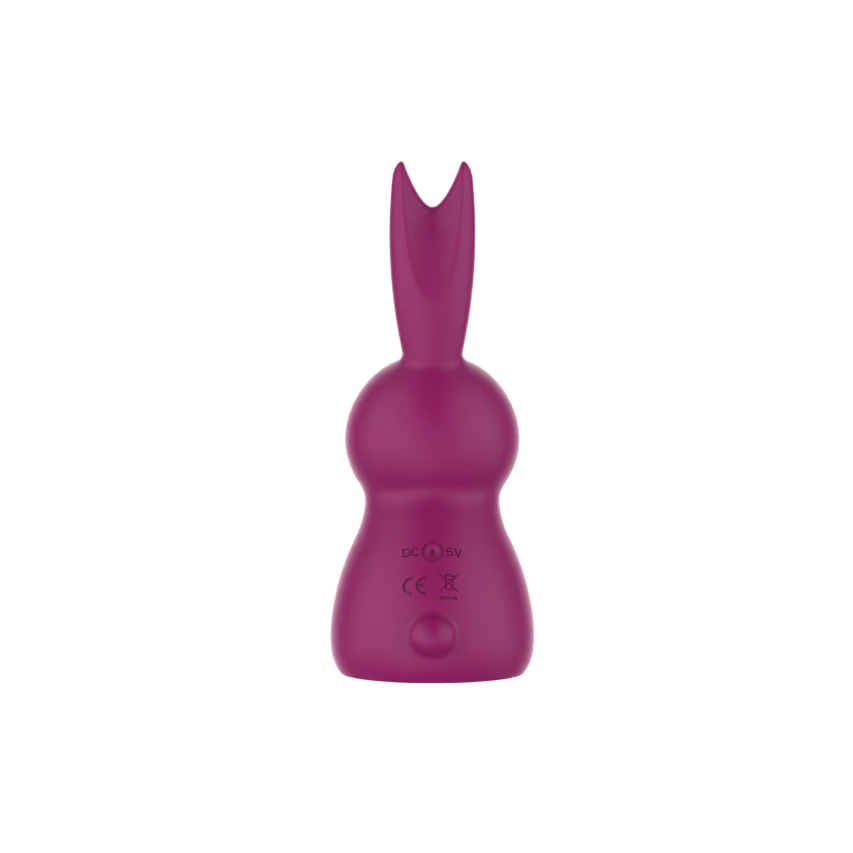
Love Bunny Suction Vibrator EVO-062
A rechargeable bunny-profile wellness device with separate suction and vibration controls.
Read product details